



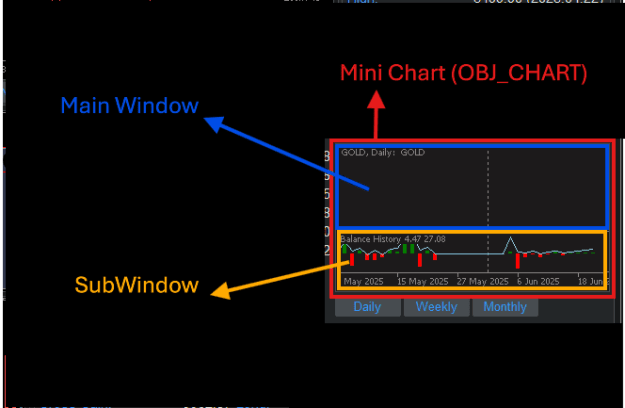
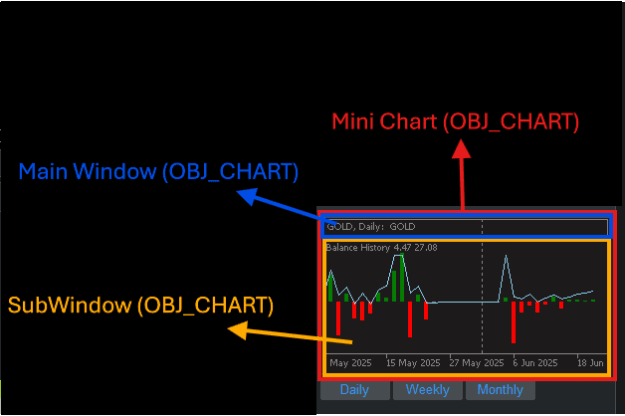
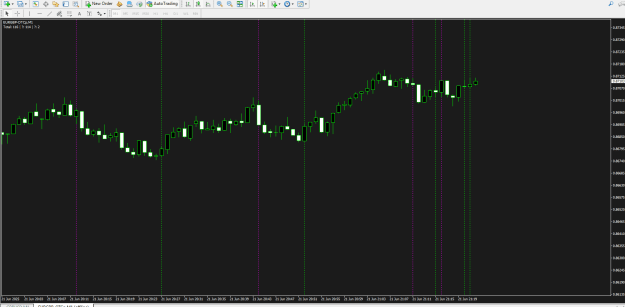
Disliked{quote} So?.. This code sets the Height size of Main Window and it works if I set chart_id to 0: ChartSetInteger(0,CHART_HEIGHT_IN_PIXELS,0,NULL); But if I try to set chart_id not 0 but Mini Chart's ID by getting it first: long profitLoss_ID=ObjectGetInteger(0,namePrefix + "_balanceHistory",OBJPROP_CHART_ID); And then set this this ID to apply the Height changes to BOJ_CHART I created: ChartSetInteger(profitLoss_ID,CHART_HEIGHT_IN_PIXELS,0,NULL); But it doesn't work now. Here, take a look at this picture to understand what I want: {image} So, I...Ignored
https://www.mql5.com/en/docs/constan...ject/obj_chart
There isn't any more you can do than what's in that link!
BTW, the OBJ_CHART doesn't have a separate ChartID() !!!
It's just an object which is identified by it's name.
If you want this object in a separate window, you must create it in a separate window.
And then you can get that window number where the object is located for further processing.
PS. Also, I don't know why you need OBJ_CHART in order to add an indicator in a separate window to your main chart???
PPS. And, if you insist on creating OBJ_CHART, and want this to cover that whole main chart window, you need to set the whole OBJ_CHART object to the size of the whole main chart window, but with:
Inserted Code
   int YsizeInPixels=ChartGetInteger(0,CHART_HEIGHT_IN_PIXELS,0);
   int XsizeInPixels=ChartGetInteger(0,CHART_WIDTH_IN_PIXELS,0);
ChartSetInteger(0,profitLoss_objectName,OBJPROP_YSIZE,YsizeInPixels);
ChartSetInteger(0,profitLoss_objectName,OBJPROP_XSIZE,XsizeInPixels);
.ex4/.ex5 files can't be fixed or modified / I'm not a coder!
1





 this is all useless demagogy.. why are you writing such long text!?


 code is subject to the terms of the Mozilla Public License 2.0 at
  kpt_gonzo


