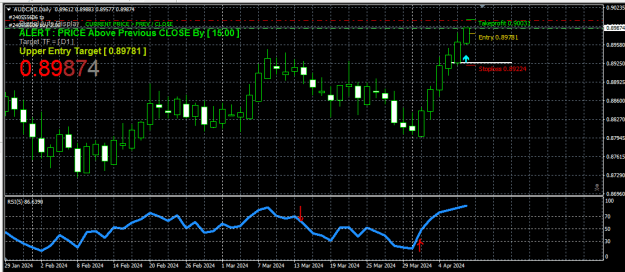
DislikedGood afternoon, professionals. Please tell me which buffers are responsible for the arrows. As I understand is 14-15, but expert does not attract these buffers {file}Ignored
So, if previous 11 is !=EMPTY_VALUE && this 12 is != EMPTY_VALUE -> arrow is Red.
Use Ctr+d to see the values of the buffers.
You will see what condition will work, and what will not work.
If the EA doesn't see the arrows, this means that the conditions are wrong.
The arrows appear when their value is exactly 1.
And their empty value is set to "0" - which isn't a good idea.
Attached Image (click to enlarge)
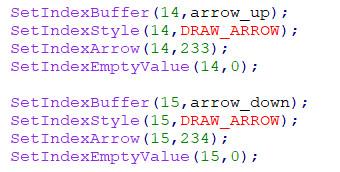
You can input EMPTY_VALUE instead of 0.
You need to know this exactly in order to write the condition in the EA correctly.
.ex4/.ex5 files can't be fixed or modified / I'm not a coder!
1

 {image}