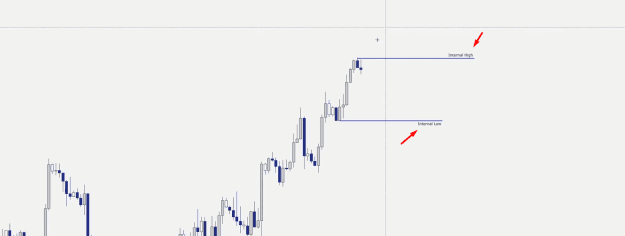
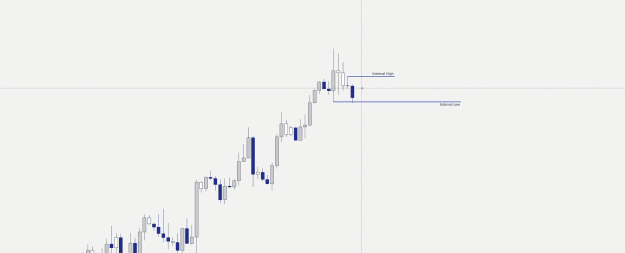
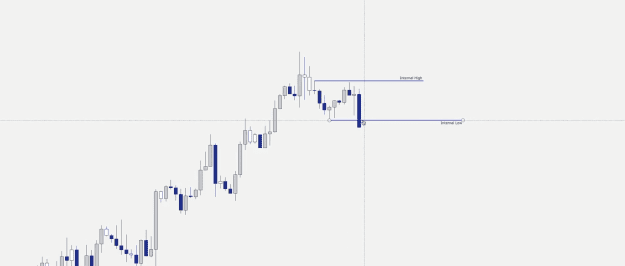
hello coders please can you add alert to this mt5 indicator, i just need an alert when the arrow pops up, i have found it to be a good indicator for reversals, it does not repaint.. thank you
Attached File(s)

I will code your pivot EAs for no charge 28 replies
I will code your scalping EAs for no charge 163 replies
Oanda MT4 - Indicators and EAs not showing 2 replies
EAs and indicators relating to moutaki... 22 replies
InterbankFX has loaded its MT4 platform with custom EAs, indicators and scripts 1 reply
Disliked{quote} Here is the indicator with your idea: {file} Here is the original code: {file}Ignored
Dislikedhi, i have buy & sell script i need fix some error and edit some code, can some one help me? i will send you an email attach script files for meta 4 & meta 5. p.s i am not a coder.Ignored
DislikedHi all, Does anyone know how to covert these 2 x MT4 chart utilities to MT5? I've done some digging and it should be possible if we could understand what the MT5 Windows handles are (using Visual Studio SPY++). Toggle Borders (mladen) removes all Chart borders to free up additional space on the Terminal (useful if displaying multiple charts). ClickMax 2.0 allows users to Double/Triple click anywhere on the chart to Minimize / Maximize it. Both tools are extremely useful for chart management in MT4 and would be a great transition if possible. {file}...Ignored
Disliked{quote} {file} I am also looking for Toggle Border for Mt5 could not find one that work. This one maximise chart just like Your Click Max.Ignored
Disliked{quote} Excellent. Now we know these tiled windows can be managed by the Windows API in MT5. Do we have any info on who coded this or if there is an MQ5? That will hold the vital info to create an MT5 Toggle Borders.Ignored
Disliked{quote} {quote} Thank you for bringing this up, it seems addressed now. VLine_Daily_wLabel - repeating vline once a day, hour:min - label to read time or text - tf visibility under daily {file} {image}Ignored
Disliked{quote} I found this: https://stackoverflow.com/questions/...window-in-mql5 But it says that this code doesn't work... This works, now! {file}Ignored
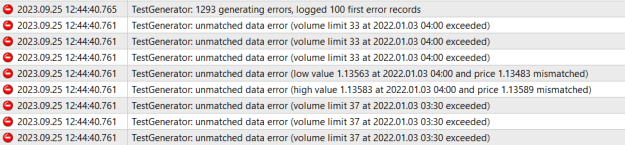
Disliked{quote} Hi Tintep, Thank you for your help. i get now a volume based error? I don't even need volumes, i commented out the volumes definition and got it out from the TimeToStr, still the same error.. Any help is kindly appreciated. Thank you{image} {file}
Ignored
Disliked{quote} Great work. I did try that before couldn't figure it out. Now that does indeed work perfectly.Now I am certain we can get Toggle Borders going. I will get to work on it.
Ignored
int hChartParent = GetParent((int)ChartGetInteger(ChartID(),CHART_WINDOW_HANDLE)); int hMDIClient = hChartParent;
Disliked{quote} I have tried something, and the conclusion is that in MT5 that border is not the same border. I was able to make it generate another border inside the existing one. int hChartParent = GetParent((int)ChartGetInteger(ChartID(),CHART_WINDOW_HANDLE)); int hMDIClient = hChartParent;Ignored
Disliked{quote} Yes I had a play with it earlier. It isn't as straight forwarded I was hoping for. It should still be possible, but I might need to freelance this one.Ignored
DislikedHello BestTraderEv, first of all thankyou for helping all of us. You are much appreciated. Please assist me with editing this great EA. Explanation: I have an EA with Source Code. The EA is called "Order_Graphic_Tool", and what it does is allow me to choose 3 keyboard buttons. 2 buttons I assign opens up a buy or sell scenario Entry, SL, & TP Horizontal lines for me to toggle. The 3rd button erases the lines. When lines populate a box appears with information and some buttons to manage the trade setup. Request: 1. Simply make it so that I have the...Ignored