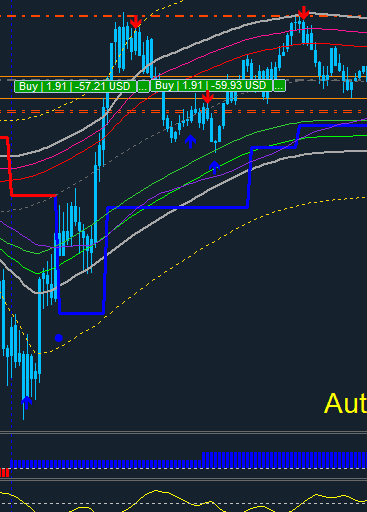
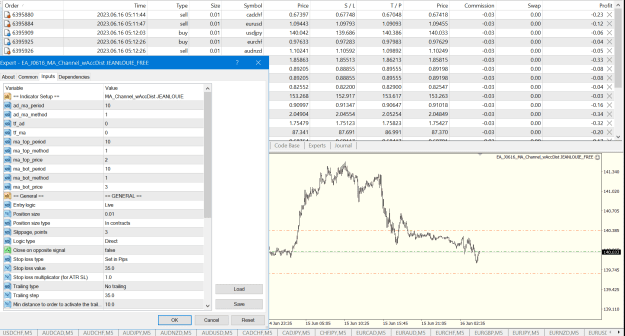
Can someone please add lotsize and tp option to this EA.
Attached File(s)
I will code your pivot EAs for no charge 28 replies
I will code your scalping EAs for no charge 163 replies
Oanda MT4 - Indicators and EAs not showing 2 replies
EAs and indicators relating to moutaki... 22 replies
InterbankFX has loaded its MT4 platform with custom EAs, indicators and scripts 1 reply
Disliked{quote} Ok, Jeah i know. This is also an option to do it in mt4 https://faq2.fxcc.com/question/show/...20Events%20tab.Ignored
Disliked{quote} Thanks for the info, GeorgeBaker. I've already tried that and it doesn't work for me, that is why I asked over here but later I found the solution myself.Thanks & have a blessed day!
Ignored
Disliked{quote} test this one... all info for new orders...and closed orders... {file} {file} God bless you T4Trade and God bless everyone!Ignored
Disliked{quote} Thanks for the info, GeorgeBaker. I've already tried that and it doesn't work for me, that is why I asked over here but later I found the solution myself.Thanks & have a blessed day!
Ignored
Disliked{quote} Hi Frank, I am curious why clicking on an On/Off button would make any sound at all, unless it is built into a specific indicator you are using. I click on on/off buttons all the time and don't hear anything. Could you try, for example, the "P4L BoxFibo.mq4" indicator at the end of post #1 here? The full source is there; it's a simple on/off OBJ_BUTTON object; it makes no sound in my MT4, even though all MT4 sounds are enabled....Ignored
Disliked{quote} Hi pips4life, thanks for touching base. There are some interesting things I discovered after I tested the things you mentioned. The indicators which has the ON/OFF buttons when loaded individually DOES NOT make any sound at all (and also your file P4L BoxFibo.mq4)! You're right! But when they were loaded into my existing template, they do make the click sound. It's strange and I don't know what is causing them to make the click sound. I've checked the programming codes of these indicators, it's not because of the programming codes that cause...Ignored
int OnInit()
{
ChartSetInteger(0,CHART_EVENT_MOUSE_MOVE,true);
ChartSetInteger(0,CHART_EVENT_MOUSE_WHEEL,true);
ChartSetInteger(0,CHART_EVENT_OBJECT_CREATE,true);
ChartSetInteger(0,CHART_EVENT_OBJECT_DELETE,true);
... Disliked{quote} {image} = Done, EA will work based on the M5 and H1 as you requested, even if placed on H4 or D1 or W1 chart, Chart TimeFrame will not affect the working of the EA. {file} {file}Ignored
Disliked{quote} Thanks a lot my darling,it works like a charm,i am still using and testing on live accounts. Almighty Bless You Always!Ignored
Disliked{quote} {image} = Done, EA will work based on the M5 and H1 as you requested, even if placed on H4 or D1 or W1 chart, Chart TimeFrame will not affect the working of the EA. {file} {file}Ignored
DislikedGeorgebaker This EA file works, but it doesn't have what I need. Can you do something similar with this file? I spent a few hours looking for information on FF and the Internet. I found a lot of files but not what I needed..Ignored
Disliked{quote} bro if posible consider to shift text please and line style and color change so we can use for multi time and recognise easily.thanksIgnored
Disliked{quote} just for the current symbol... please test it... I haven't tested it... something to work on... {file} {file} God bless you T4Trade and God bless everyone!Ignored
Disliked{quote} Sir please can we make this indicator open trade MTF? can we have candle close above/below option? {file}Ignored
Dislikedjeanlouie Your indicator is so good that the only thing it lacks is an on/off button. Please add it to your code. {image} {image}Ignored