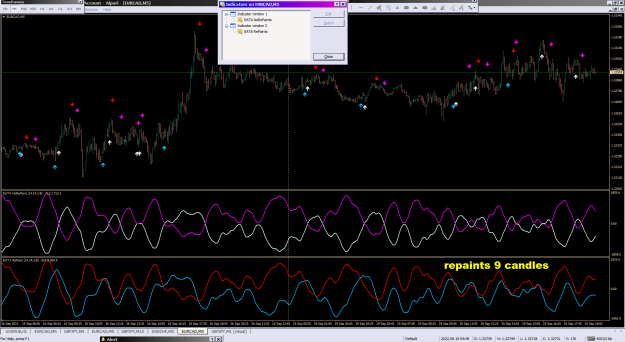
Dislikedhello, I found this indicator and it looks good, but it only works when i reload the chart, can anyone fix it for me?Ignored
EATA NoRePaints
Attached File(s)
study indicator settings and test it well...

1
I will code your pivot EAs for no charge 28 replies
I will code your scalping EAs for no charge 163 replies
Oanda MT4 - Indicators and EAs not showing 2 replies
EAs and indicators relating to moutaki... 22 replies
InterbankFX has loaded its MT4 platform with custom EAs, indicators and scripts 1 reply
Dislikedhello, I found this indicator and it looks good, but it only works when i reload the chart, can anyone fix it for me?Ignored
DislikedHello Tankk, please help to add pop alerts to this indicator to show buy/sell, price and time when the arrow shows up on the current candle. Thanks in advanceIgnored
Disliked{quote} Arrow Trend Surfer Alerts and Arrow Trend Surfer Crack.ex4 should be in Indicators folder!! {image} {file} {file}Ignored
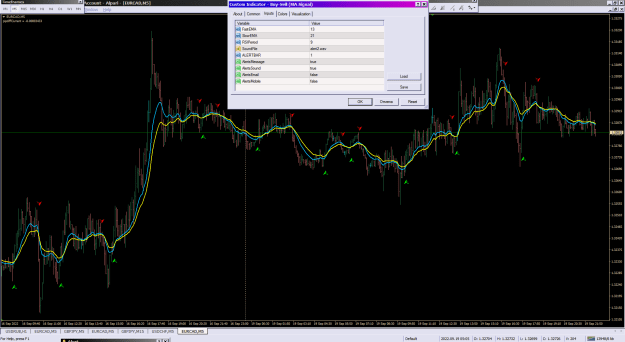
Disliked{quote} Buy-Sell (MA Signal) strange induk.. seems, it puts arrows at couple candles back!? check it carefully... and as i remember, same system is Sidus.. search in Internet... {image} {file} {file}Ignored
Disliked{quote} please help me @Tankk to modify the screenshot 2 indicator that uploaded ... here i need some modifications .. 1. if possible can you modify output folder to desktop so screenshot will post on desktop or any option to change the output folder 2. and there should be only one screenshot and if new screenshot generates then it automatically overwrite and delete previous screenshot and save with same name means it overwrite the first one image .. and should have only one name Please help @tankk {file}Ignored
Disliked{quote} Because of MT4 security reason, you can't read or save file to desktop. If you do that, you will get error 5002. I have modified your file output, so, it has option to overwrite to single file now. {file}Ignored
Disliked{quote} Many many thanks . Sir.. For modifying this . but there is no option to save in any C folder as per my requirement ?? Any C folder ?? Also tell me where we can save I tell me about locations ? Please sir and thanks again for making changes .hats off ..Ignored
Disliked{quote} Arrow Trend Surfer Alerts and Arrow Trend Surfer Crack.ex4 should be in Indicators folder!! {image} {file} {file}Ignored
Disliked{quote} Like I said, it is not possible to save to another folder due to MT4 restriction. MT4 only allow file to save to under its \Files. Your files are saved under MQL4\Files folder. What you can do is to create some short-cut to your desktop and open that folder automatically when you click that short-cut. Full Path to file would be: C:\Users\<your user name>\AppData\Roaming\MetaQuotes\Terminal\<MT4 GUID folder>\MQL4\Files You can open that folder by "File" -> "Open Data Folder" Documentation says: Note The screen shot is saved in the terminal_dir\experts\files...Ignored
void A()
{
double ar = iRSI(Symbol(),0,14,PRICE_CLOSE,0);
string s = DoubleToStr(ar,0);
ObjectCreate(0,"R",OBJ_ARROW_RIGHT_PRICE,0,0,ar);
ObjectSetText("R",s,10,"Tahoma",Yellow);
} Dislikedanyone have this indicator with early signal like in the youtube video can someone please post the indicator with edited version here please watch this video https://www.youtube.com/watch?v=GSd3EMWBCT0&t=57sIgnored
Dislikedwhat am i doing wrong in this code void A() { double ar = iRSI(Symbol(),0,14,PRICE_CLOSE,0); string s = DoubleToStr(ar,0); ObjectCreate(0,"R",OBJ_ARROW_RIGHT_PRICE,0,0,ar); ObjectSetText("R",s,10,"Tahoma",Yellow); }Ignored
Here is an a simple indicator example that displays the RSI value as either an OBJ_TEXT near the current bar and close price; or as an OBJ_LABEL.
Notice also that it has an option to run no more than once-per-second (but only when a tick arrives); or it can run with every tick.
It only creates the object once, thereafter updating the value, and -- if OBJ_TEXT -- it updates the location.
If it's an OBJ_LABEL, the label can be manually moved (as always), but it will stay where you put it if you just change the Timeframe of the chart.
Consider this as a template (** but see P.S.) that could be used to display any value(s) of interest, this one showing RSI(n):
/*
A simple indicator example that displays the current RSI(n) value as a Text (near the current bar and price),
or as a fixed-location Label. Ref: https://www.forexfactory.com/thread/post/14144187#post14144187
2022-SEP-20 v1.0 by pips4life
*/
#property version "1.0"
#property strict // strict mode is *optional*, but using it gives more compiler warnings/errors that may help to write cleaner code
#property indicator_chart_window // Use if an indicator.
//#property show_inputs // Use if this is a *script*, and if you want it to popup the Input variable(s)
enum useObject { Draw_Label, Draw_Text}; // Unless manually set differently, the 1st argument Draw_Label==0, the 2nd Draw_Text==1
input useObject DrawText_vs_Label = Draw_Text;
input int RSI_period = 14;
input bool runNoMoreThanOncePerSecond = true;
input color objectColor = clrRed;
string objName = "myRSI";
datetime bars_forward;
int OnInit()
{
bars_forward = 3*PeriodSeconds(); // Why in OnInit? This does the multiplication only once, rather than every time the value is updated.
return(INIT_SUCCEEDED);
}
void OnDeinit(const int reason)
{
// By NOT deleting this when it's an OBJ_LABEL just for a CHARTCHANGE (e.g. changing the Timeframe), an OBJ_LABEL that was manually moved will stay where it is when changing TF's!
if(DrawText_vs_Label == Draw_Text || reason != REASON_CHARTCHANGE) ObjectDelete(objName);
}
//+-------------------------------------------------------------------------+
//| Indicator program start function (old, pre-build-600 MQL4 style) |
//| One can change to OnCalculate(...) {} if necessary |
//+-------------------------------------------------------------------------+
void start()
{
//---
if(runNoMoreThanOncePerSecond)
{
static datetime last_TimeCurrent = TimeCurrent();
if( TimeCurrent() == last_TimeCurrent) return;
last_TimeCurrent = TimeCurrent();
}
getRsi();
}
//+------------------------------------------------------------------+
void getRsi()
{
double ar = iRSI(Symbol(),0,RSI_period,PRICE_CLOSE,0);
string desc = "RSI("+IntegerToString(RSI_period)+")="+DoubleToStr(ar,0);
// Original code:
//ObjectCreate(0,objName,OBJ_ARROW_RIGHT_PRICE,0,0,ar);
// Doesn't work right because:
// The time=0, therefore 1970.01.01, so it's far to the left of any bars.
// The price=ar, which for an iRSI value is 0<ar<100. As a *price*, value of 'ar' makes no sense.
// The TIME1 and PRICE1 fields ONLY update once when created, but never update again.
// A little better, not acceptable yet:
//ObjectCreate(0,objName,OBJ_ARROW_RIGHT_PRICE,0,Time[0],Close[0]);
// However, a PRICE arrow displays the price at which the arrow is placed, not the value of 'ar'
// Again, the TIME1 and PRICE1 fields ONLY update once when created, but never update again.
// Below will display a Text(if true) or a Label(if false) that will update the value each time it runs.
if(DrawText_vs_Label) // or equivalent: if(DrawText_vs_Label == Draw_Text) // where Draw_Text=1
{
// A choice of OBJ_TEXT:
if(ObjectCreate(0,objName,OBJ_TEXT,0,0,0) )
{
// The object is created only once, and then one-time properties are set here
ObjectSetInteger(0,objName,OBJPROP_ANCHOR,ANCHOR_LEFT);
}
// Since this is an OBJ_TEXT, update the time,price location every time this runs:
ObjectSetInteger(0,objName,OBJPROP_TIME1,Time[0]+bars_forward );
ObjectSetDouble(0,objName,OBJPROP_PRICE1,Close[0]);
}
else
{
// A choice of an OBJ_LABEL at an arbitrary location on the chart:
if(ObjectCreate(0,objName,OBJ_LABEL,0,0,0) )
{
// The object is created only once, and then one-time properties are set here
ObjectSetInteger(0,objName,OBJPROP_CORNER,CORNER_RIGHT_UPPER);
ObjectSetInteger(0,objName,OBJPROP_ANCHOR,ANCHOR_RIGHT_UPPER);
ObjectSetInteger(0,objName,OBJPROP_XDISTANCE,100);
ObjectSetInteger(0,objName,OBJPROP_YDISTANCE,50);
// Note, by setting the location only once upon creation, the label can be selected and moved anywhere.
}
}
// Update the value:
ObjectSetText(objName,desc,10,"Tahoma",objectColor);
}
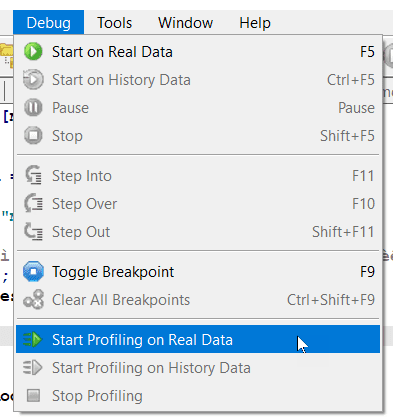
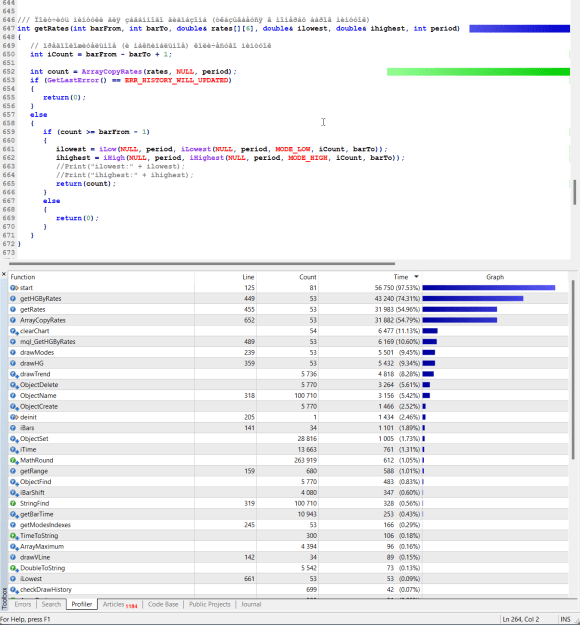
DislikedDear coders, could you pls see if this indicator could be optimized so that it somehow uses less resource? I have i7 8th gen 24GB RAM but can not open 2 charts with this indicator and data range set to 5 (display for last 5 days) even with one chart, with none other indicator attached changing Tf is painfully slow {file}Ignored
input bool runNoMoreThanOncePerSecond = true;
void start()
{
//---
if(runNoMoreThanOncePerSecond)
{
static datetime last_TimeCurrent = TimeCurrent();
if( TimeCurrent() == last_TimeCurrent) return;
last_TimeCurrent = TimeCurrent();
}
// Run your code...
} Disliked{quote} Consider the value of ar and the price scale of the window it's going to.Ignored
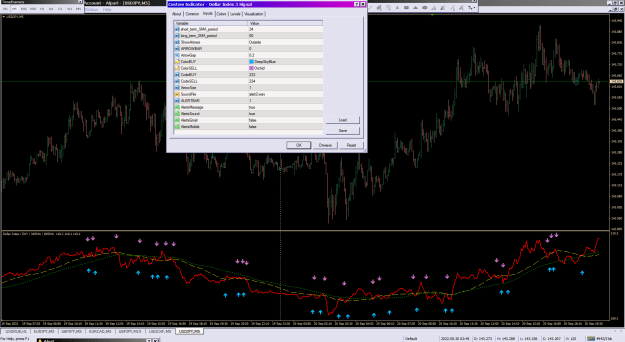
DislikedCould you pls help I follow your example for adding alert in this dollar indicator, but why it does not show any arrow? Thank you for checkingIgnored
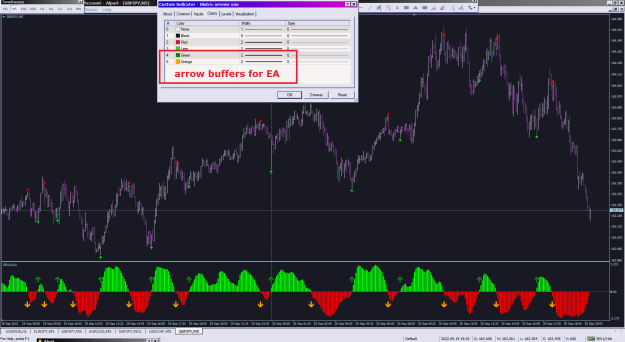
DislikedI need Buffers for the arrow signals so I can use the Buffers in an EA please!!!Ignored