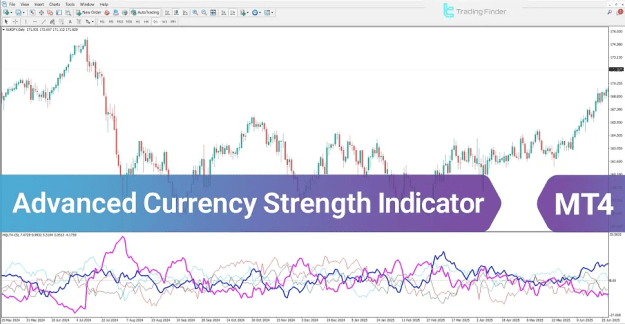
- Each line on the indicator corresponds to a specific currency (e.g., blue for USD, red for EUR).
- An upward movement of a currency line signifies increasing strength and growing buying pressure for that currency.
- A downward movement reflects weakening strength and mounting selling pressure.
 You can download it from this link:
https://cdn.tradingfinder.com/file/5...4-by-tflab.zip
 You can also access the MetaTrader 5 version of this Indicator through this page:
https://www.metalsmine.com/thread/13...r-metatrader-5
 For instructions on how to install:
https://www.forexfactory.com/thread/...-in-metatrader
Prop Firm DrawDown Protector : Prop Firm Capital Protection Expert MT4 | Forex Money Management: Forex Trade Management Expert MT4 |ICT Concepts Indicator MT4 | Smart Money Concepts Expert MT4| Smart Money Trap Scanner | Get a free Expert Advisor license via Telegram and WhatsApp
Core Features and Classification of the Indicator
This multi-purpose indicator falls into several key analytical categories within the MetaTrader 4 platform.
- Indicator Type: Oscillator, Currency Strength, Trading Assistant.
- Trading Signal Type: Breakout and Reversal Identification.
- Timeframe Compatibility: Multi-Timeframe Analysis.
- Trading Style: Ideal for Intraday Trading.
- Market: Forex Market Specific.
Interpreting Market Trends with the Indicator
Identifying an Uptrend
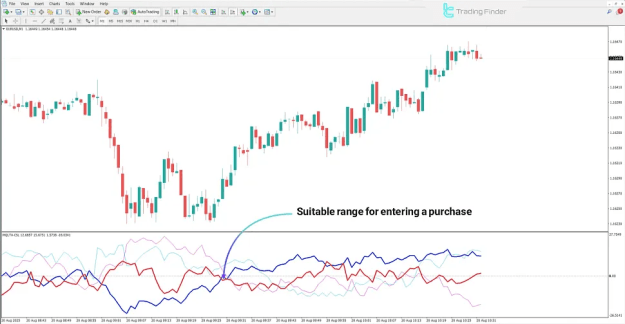
When a currency's line on the indicator rises above another, it signals a shift in momentum. For instance, on an EUR/USD chart, if the EUR (red) line crosses above and maintains a position higher than the USD (blue) line, it indicates:
- Growing buying pressure and demand for the Euro.
- Relative weakness in the US Dollar.
- A potential buy signal for EUR/USD, suggesting the start of an uptrend with an increased probability of further price appreciation.
Identifying a Downtrend
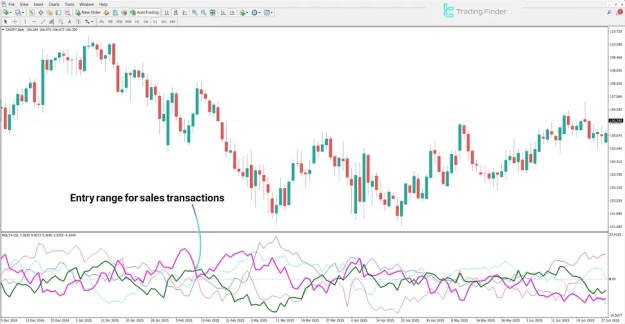
Conversely, a downtrend is signaled when a currency's line weakens relative to another. In a CAD/JPY pair, if the CAD line declines significantly against the rising JPY line, it demonstrates:
- Intensifying selling pressure on the Canadian Dollar.
- Relative strength and demand for the Japanese Yen.
- A potential sell signal for CAD/JPY, forecasting a likely continuation of the price decline.
Advanced Currency Strength Indicator Settings Configuration
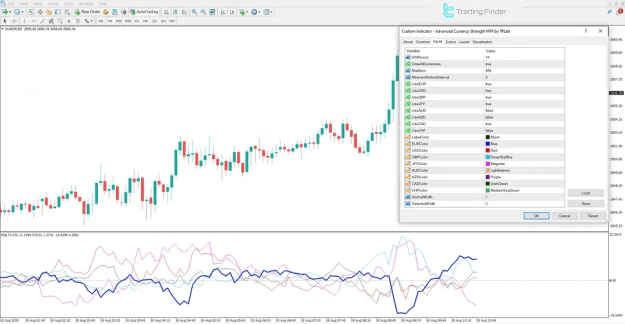
Proper configuration is crucial for effective use. The settings panel in MetaTrader 4 allows for extensive customization:
- RSIPeriod: Adjusts the calculation period for the underlying RSI momentum.
- DrawAllCurrencies: Toggles the display of all currency lines.
- MaxBars: Sets the maximum number of historical bars for calculation.
- MinimumRefreshInterval: Controls the update rate of the indicator.
- Currency Toggles (UseEUR, UseUSD, etc.): Enable or disable the display of specific currencies (EUR, USD, GBP, JPY, AUD, NZD, CAD, CHF).
- Color Customization: Assign distinct colors to each currency line and labels (EURColor, USDColor, etc.).
- Line Width: Adjust NormalWidth and SelectedWidth for visual clarity.
Conclusion
The Advanced Currency Strength Indicator is an essential tool for any Forex trader seeking to gauge the relative strength and weakness of currencies. It translates complex inter-market dynamics into an intuitive visual format using colored lines.
- Rising lines pinpoint currencies with increasing demand and bullish pressure.
- Falling lines highlight currencies under selling pressure and bearish influence.
- Line crossovers are particularly significant, marking shifts in the balance of power between currencies and highlighting high-probability entry and exit points for trades.
By integrating this indicator into your analysis, you can make more informed decisions based on the underlying strength of currencies, rather than relying on a single pair's price action alone.