Prop Firm DrawDown Protector : Prop Firm Capital Protection Expert MT5 |Forex Money Management: Forex Trade Management Expert MT5 | ICT Concepts Indicator MT5 |Smart Money Concepts Expert MT5 | Smart Money Trap Scanner | Get a free Expert Advisor license via Telegram and WhatsApp
Overview of NinjaTrader
NinjaTrader provides users with:
- Live and multi-timeframe charts for precise market analysis
- Tools to design and execute automated trading strategies using NinjaScript (C# based)
- Direct connectivity to trusted international brokers
- Real-time order and position management
- High-speed and accurate trade execution
The platform is designed for professional traders aiming to optimize strategies and monitor markets efficiently.
Downloading and Installing NinjaTrader
NinjaTrader is available for Windows, Android, and iOS. Although there is no native Mac version, installation on MacOS is possible through virtualization software such as Parallels Desktop or Wine. Users should always download the software directly from the official NinjaTrader website to ensure a secure and genuine version. Both free and professional editions are available.
Installing NinjaTrader on Windows
- Visit the Official Website
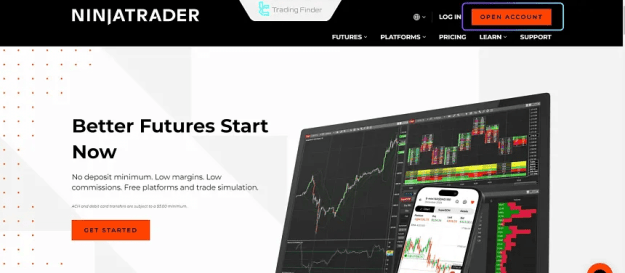
- Go to ninjatrader.com and click “OPEN ACCOUNT”.
- Create an Account
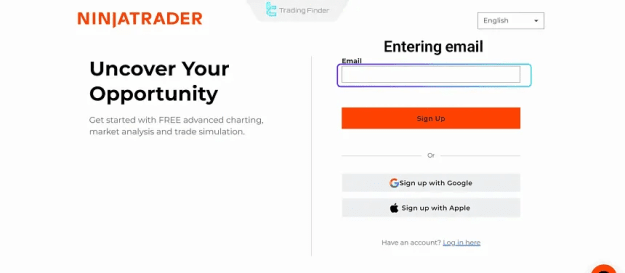
- Enter your email to receive the download link. Registration is free and provides access to demo accounts and real-time data.
- Download the Installer
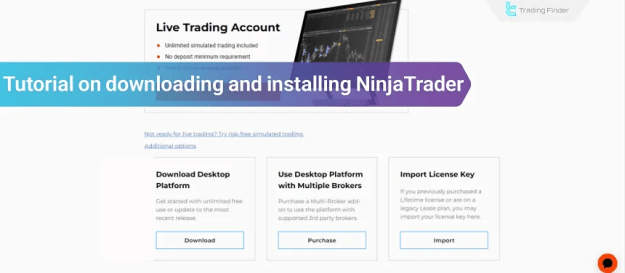
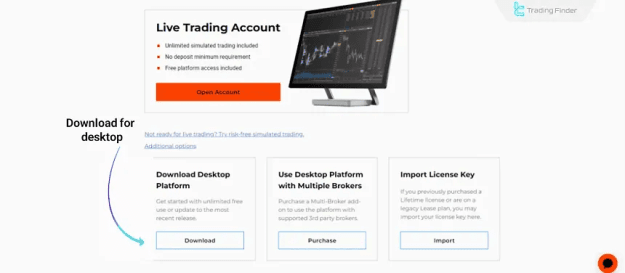
- Use the “Download Desktop Platform” link sent via email.
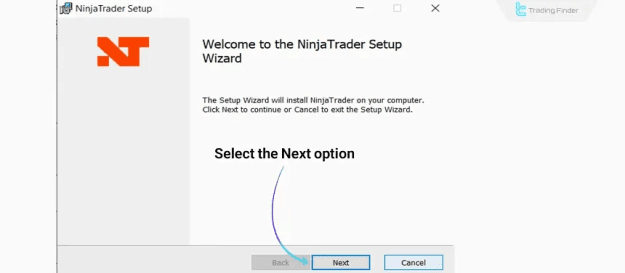
- Run the Installation File
- Double-click the installer, select the installation path, and ensure “Launch NinjaTrader” is checked to start automatically.
- Log In
- Use your account credentials or create a free demo account to start trading.
Installing NinjaTrader on Mac
- Parallels Desktop: Create a virtual Windows machine and run NinjaTrader within it.
- Wine: Install NinjaTrader without a full Windows environment; some advanced features may not be fully functional.
Installing NinjaTrader on Mobile
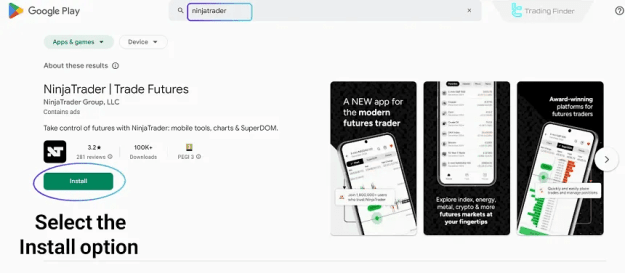
Android:
- Open Google Play Store, search “NinjaTrader”, install the app, and log in.
- Monitor charts, currency pairs, and futures contracts on the go.
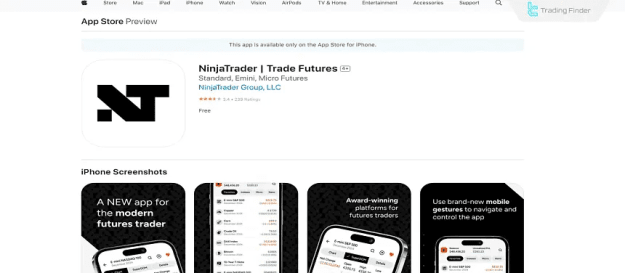
iOS:
- Open the App Store, search “NinjaTrader”, install the app, and log in.
- The app synchronizes with your brokerage account for real-time position tracking.
Installation Tips
- Always download the official version from “ninjatrader.com”
- Ensure the latest .NET Framework is installed on Windows
- Recommended: 4GB RAM and a dual-core processor
- Remove older versions to avoid conflicts
Troubleshooting Common Issues
- Run the installer as Administrator
- Change installation path if errors occur
- Verify internet connectivity
- Re-download installer if problems persist
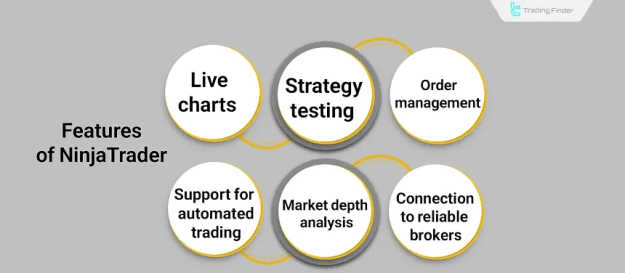
Key Features of NinjaTrader
- Live Charts: 100+ customizable chart types and timeframes
- Automated Trading: Build trading bots with NinjaScript
- Backtesting: Test strategies on historical data with detailed reports
- Depth of Market (DOM): View buy/sell orders across multiple levels
- Order Management: Execute Market, Limit, and Stop orders instantly
- Broker Integration: Supports FXCM, Interactive Brokers, NinjaTrader Brokerage
- Security: Encrypted data and secure connections
Conclusion
Installing NinjaTrader on Windows is fast and straightforward. Mac, Android, and iOS users have suitable alternatives for installation. With robust tools for charting, strategy development, backtesting, and order execution, NinjaTrader is a reliable platform for professional traders and supports advanced forex education.