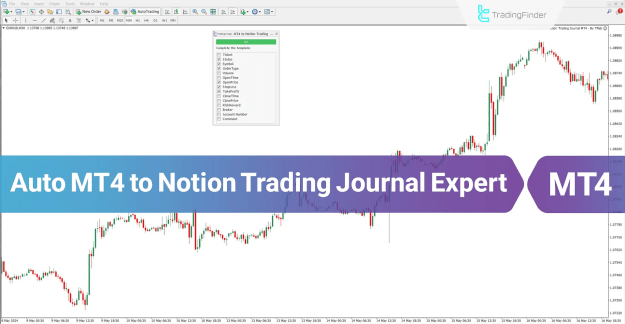
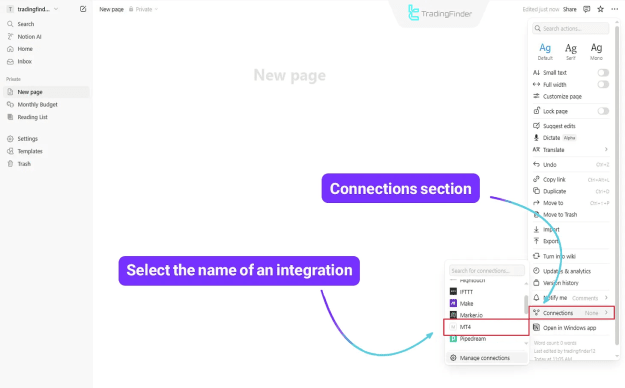
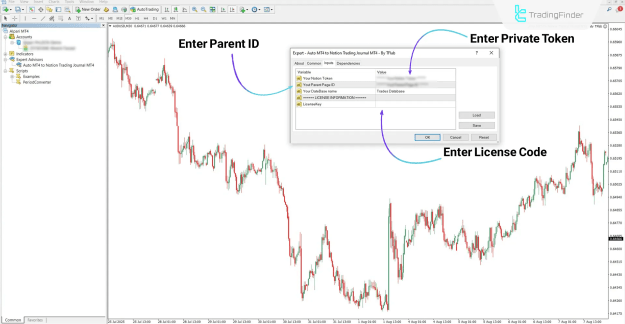
The MT4 Trading Journal Logging Expert for Notion is an automated tool that seamlessly transfers your trading activity into your Notion workspace. It captures key details such as order type, entry time, trade volume, take profit, stop loss, and more—allowing you to maintain a well-organized, real-time digital trading journal with zero manual effort.
 You can download it from this link:
https://cdn.tradingfinder.com/file/5...4-by-tflab.zip
 For instructions on how to install:
https://www.forexfactory.com/thread/...-in-metatrader
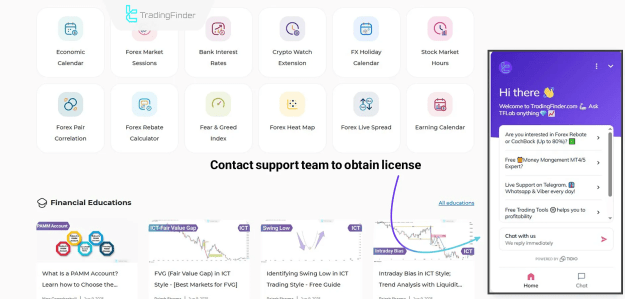
Prop Firm DrawDown Protector : Prop Firm Capital Protection Expert MT4 | Forex Money Management: Forex Trade Management Expert MT4 |ICT Concepts Indicator MT4 | Smart Money Concepts Expert MT4| Smart Money Trap Scanner | Get a free Expert Advisor license via Telegram and WhatsApp
Key Features
You can download it from this link:https://cdn.tradingfinder.com/file/5...4-by-tflab.zip
For instructions on how to install:https://www.forexfactory.com/thread/...-in-metatrader
Inserted Video
Prop Firm DrawDown Protector : Prop Firm Capital Protection Expert MT4 | Forex Money Management: Forex Trade Management Expert MT4 |ICT Concepts Indicator MT4 | Smart Money Concepts Expert MT4| Smart Money Trap Scanner | Get a free Expert Advisor license via Telegram and WhatsApp
Key Features
- Platform: MetaTrader 4 (MT4)
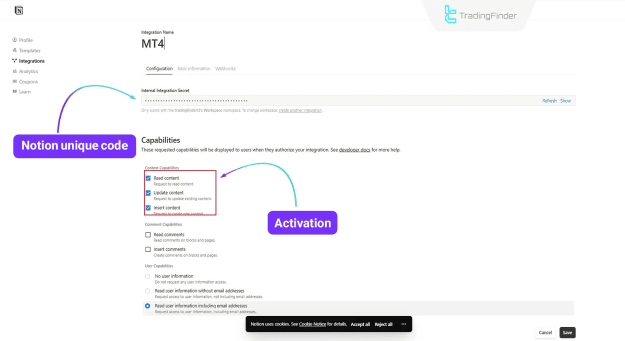
- Integration: Secure connection to Notion via API token
- Data Logged: Trade ticket, symbol, entry/exit prices, stop loss, take profit, volume, profit/loss
- Format: Converts trade data into Notion blocks using JSON
- Style: Fully automated journal creation
- Skill Level: Intermediate
How It Works
- Every trade placed on your MT4 terminal is automatically captured.
- The Expert Advisor sends selected trade details to your chosen Notion database.
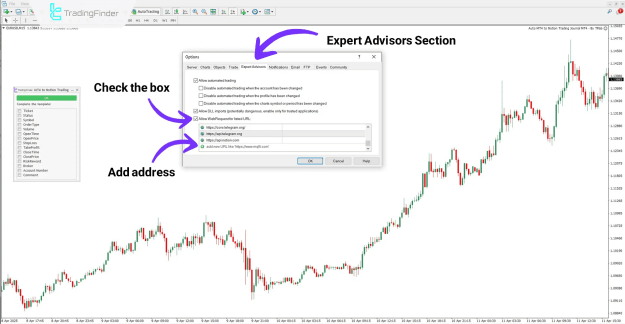
- To enable communication, MT4’s WebRequest must be turned on.
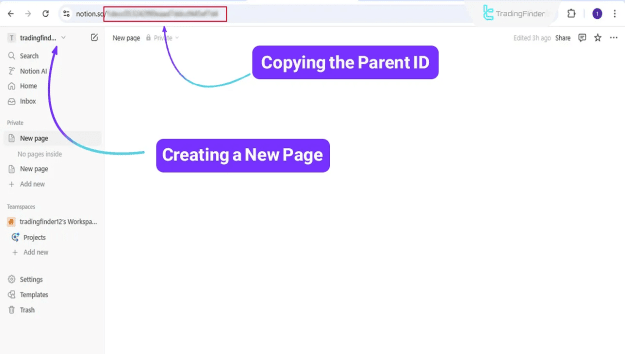
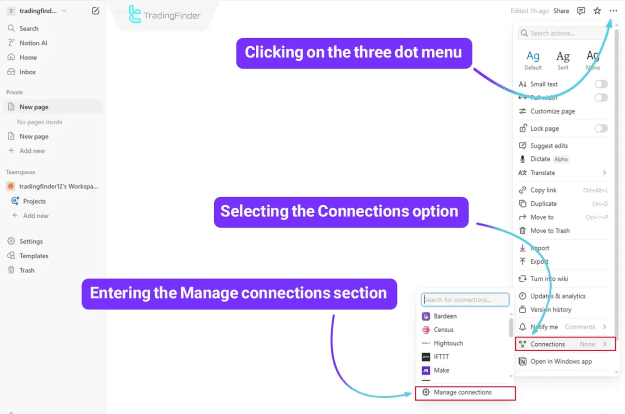
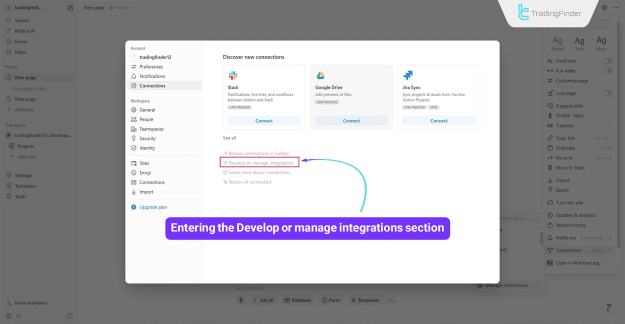
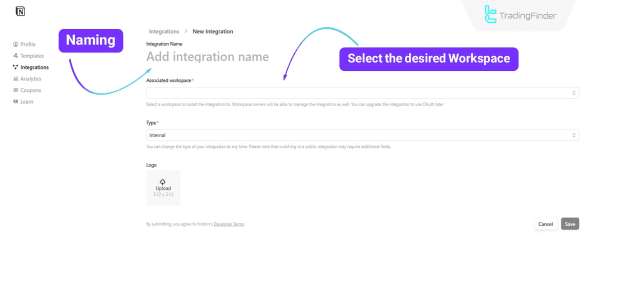
- In the EA settings, you provide your Notion API token and Parent Page ID.
Example in Action
- Place a trade in MT4 → it’s instantly logged in Notion.
- Journal entries include: ticket number, order type, open/close time, profit, risk-to-reward ratio, broker details, and any personal notes.
Configurable Settings
- Choose which fields to log (symbol, entry price, SL, TP, volume, comments, etc.)
- Option to record only closed trades or all trades
- Add account and broker information to each entry
- Customize how R:R (risk-to-reward) is tracked
Conclusion
This free Expert Advisor offers traders a smart, automated way to document trades directly in Notion. Say goodbye to spreadsheets and manual logging—get a clean, structured, and real-time digital trading journal effortlessly synced from MT4 to your Notion dashboard.
Attached Image(s) (click to enlarge)