You can access the Indicator from this link:
https://tradingfinder.com/products/i...ai-trendlines/
You can access the Indicator on the TradingView website:
https://www.tradingview.com/script/n...tering-Trends/
Prop Firm DrawDown Protector : Prop Firm Capital Protection Expert MT4 | Forex Money Management: Forex Trade Management Expert MT4 |ICT Concepts Indicator MT4 | Smart Money Concepts Expert MT4| Smart Money Trap Scanner | Get a free Expert Advisor license via Telegram and WhatsApp
Key Features of the Indicator
Advanced Algorithmic Technology
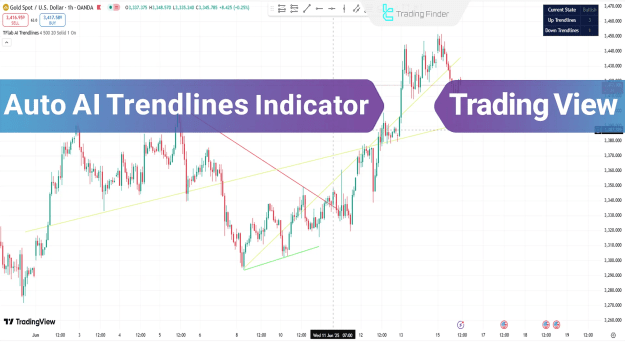
- Automatic Trend Detection: AI identifies and draws trendlines in real-time
- Color-Coded Visualization: Green lines for uptrends, red lines for downtrends
- Multi-Timeframe Compatibility: Works on all chart timeframes
- Market Status Panel: Real-time trend direction assessment
Trading Advantages
Removes subjective trendline drawing
Provides objective market structure analysis
Works across forex, stocks, and indices
Suitable for intraday, day trading, and scalping
How the Indicator Works
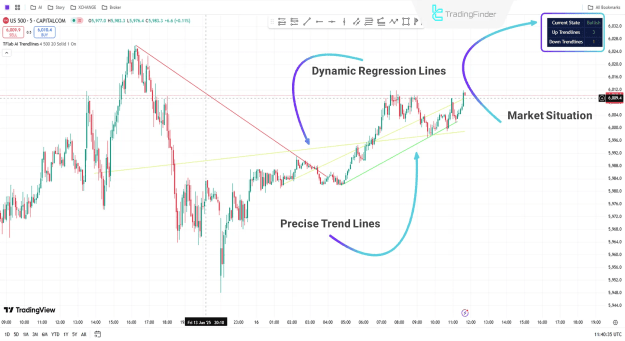
Uptrend Identification
- AI detects higher highs and higher lows
- Draws dynamic green support lines
- Market panel shows "Bullish" status
- Traders can enter long positions with confidence
Example: S&P 500 5M chart showing precise uptrend lines
Downtrend Identification
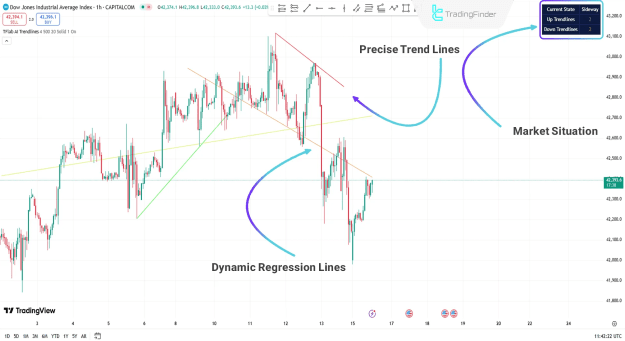
- AI identifies lower highs and lower lows
- Plots dynamic red resistance lines
- Market panel displays "Bearish" status
- Traders can consider short positions
Example: Dow Jones 1H chart showing accurate downtrend lines
Indicator Configuration
Core Settings
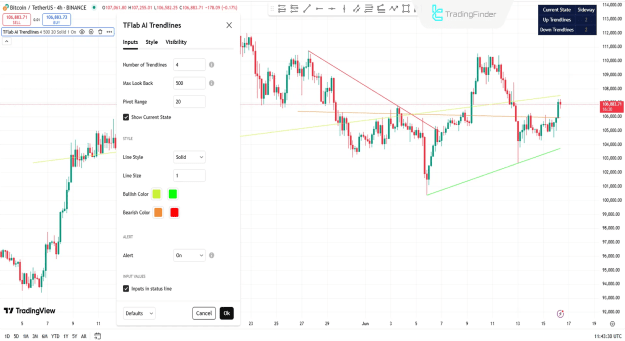
- Number of Trendlines: Adjust how many lines are displayed
- Max Look Back: Set historical candle range for analysis
- Pivot Range: Define sensitivity for pivot point detection
- Current State Panel: Toggle market status display
Visual Customization
- Line Style: Customize appearance (solid, dashed, dotted)
- Line Size: Adjust thickness for better visibility
- Color Schemes: Modify bullish/bearish line colors
- Alert Settings: Enable/disable trend change notifications
Optimal Trading Strategy
- Monitor Market Status: Check the trend direction panel
- Confirm Trendlines: Ensure AI-drawn lines align with price action
- Wait for Retest: Look for price to return to trendline
- Enter with Confluence: Add other indicators for confirmation
- Manage Risk: Place stops beyond the trendline
Why Traders Choose This Indicator
- AI-Powered Accuracy: Superior to manual trendline drawing
- Time-Saving: Automates tedious analysis work
- Objective Analysis: Removes emotional bias
- Multi-Market Effectiveness: Works across all trading instruments
Conclusion
The Auto AI Trendlines Indicator represents a significant advancement in technical analysis by providing:
- Automated trend identification
- Objective market structure analysis
- Real-time trend direction assessment
- Professional-grade trend visualization
This AI-powered TradingView tool is essential for traders who want to:
Save time on manual analysis
Remove subjective bias from trading
Improve trend identification accuracy
Enhance risk management through clear levels