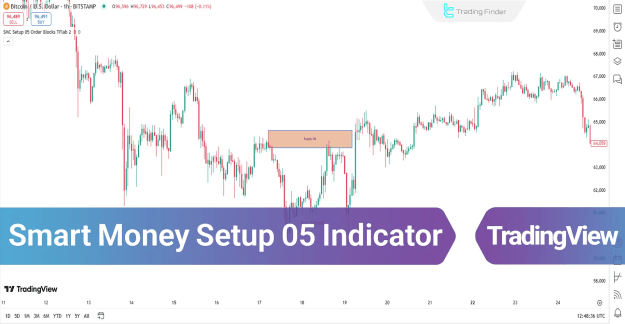
You can access the Indicator from this link:
https://tradingfinder.com/products/i...oney-setup-05/
You can access the Indicator on the TradingView website:
https://www.tradingview.com/script/E...B-Trend-Proof/
Prop Firm DrawDown Protector : Prop Firm Capital Protection Expert MT5 |Forex Money Management: Forex Trade Management Expert MT5 | ICT Concepts Indicator MT5 |Smart Money Concepts Expert MT5 | Smart Money Trap Scanner |Get a free Expert Advisor license via Telegram and WhatsApp
Key Features of the Indicator
Core Functionality
- Order Block Identification: Pinpoints precise institutional entry zones
- Liquidity Zone Analysis: Maps out areas where stops are likely clustered
- Structural Break Confirmation: Validates trend changes with price action
- Visual Signals: Color-coded blocks for buy/sell opportunities
Trading Advantages
Filters out retail traps and fakeouts
Works across forex, crypto, and stocks
Ideal for intraday and swing trading
Provides clear stop-loss and take-profit levels
How the Indicator Works
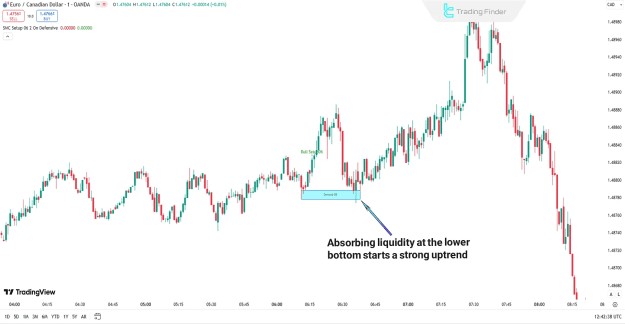
Bullish Reversal Setup (Buy Signal)
- Price forms a Lower Low (LL), sweeping retail liquidity
- A strong rebound occurs, indicating smart money buying
- The indicator marks the demand zone (Order Block)
- A break of structure confirms the bullish reversal
Example: EUR/CAD pair showing a classic liquidity grab and reversal
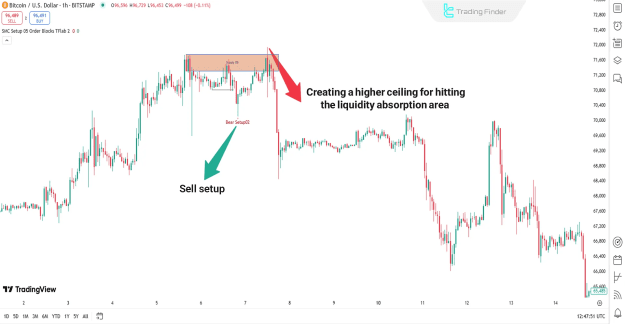
Bearish Reversal Setup (Sell Signal)
- Price makes a Higher High (HH), absorbing upside liquidity
- A sharp rejection and decline follows
- The indicator highlights the supply zone (Order Block)
- A break of structure confirms the bearish reversal
Example: Bitcoin chart showing distribution and subsequent drop
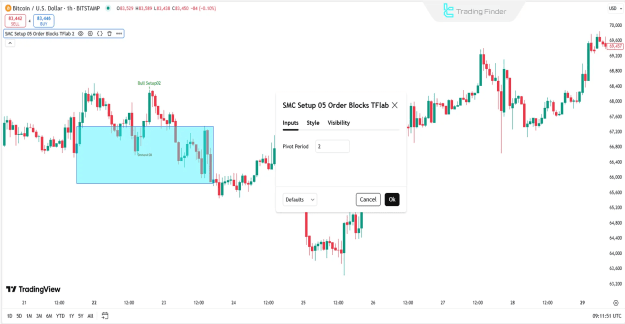
Indicator Configuration
Key Settings
- Pivot Period: Adjusts the sensitivity for swing high/low detection (default is typically 5)
- Visual Customization: Modify colors for bull/bear blocks and liquidity zones
Optimal Trading Strategy
- Identify the Zone: Wait for the indicator to mark a clear Order Block.
- Confirm the Liquidity Sweep: Price should have clearly breached a recent high or low.
- Wait for the Reaction: A strong, impulsive candle away from the liquidity zone.
- Enter on Retest: Look for price to return and test the Order Block zone.
- Manage Risk: Place stops on the other side of the liquidity void.
Why Advanced Traders Use This Indicator
- ICT & SMC Aligned: Employs genuine smart money concepts (liquidity grabs, order blocks)
- High-Probability Setups: Focuses on quality over quantity of signals
- Clear Risk Management: Defines invalidation points clearly
- Versatile Application: Effective on multiple asset classes and timeframes
Conclusion
The Smart Money Setup 05 Indicator bridges the gap between retail and institutional trading by providing a systematic framework to:
- Identify institutional order flow
- Anticipate liquidity-based moves
- Execute trades with a clear edge
- Manage risk with precision
This free TradingView tool is indispensable for traders who want to move beyond basic indicators and start trading based on the core mechanisms that drive the market.