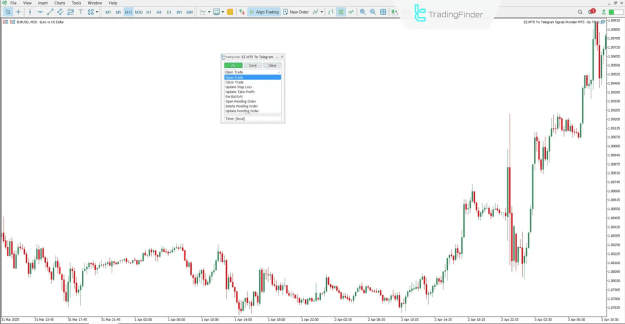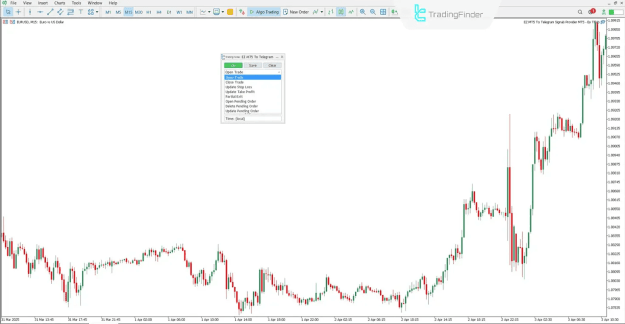


The EZ MT5 to Telegram Signal Provider Expert is a sophisticated solution for MetaTrader 5 users, enabling automatic delivery of trade alerts through Telegram. Developed by TradingFinder, this Expert Advisor is ideal for traders seeking real-time insights into trading activities directly on their mobile devices or desktop via Telegram.
This tool is tailored for active traders, signal providers, and trading communities who want fast and structured notifications for every trading action—whether opening or closing positions, modifying stop-loss and take-profit levels, or updating pending orders.
Key Features and Benefits
- Instant Trade Notifications via Telegram
- Supports Forex, Stocks, Crypto, Commodities, Indices
- Works across multi-timeframe strategies
- Fully customizable with emoji placeholders and dynamic message variableshttps://tradingfinder.com/products/i...free-download/
- Suitable for swing trading, day trading, and scalping strategies
Inserted Video
you can access the indicator from this link:
https://tradingfinder.com/products/i...free-download/
Integration Between MetaTrader 5 and Telegram Bot
To automate message delivery, the Expert connects MT5 with a Telegram bot using two essential components:
- Bot Token – a secure API key from Telegram
- Telegram Chat ID – numeric identifier for the user, group, or channel
These two parameters must be correctly configured for message dispatch to function.
Creating a Telegram Bot for Trade Signals
To create a Telegram bot for use with this Expert:
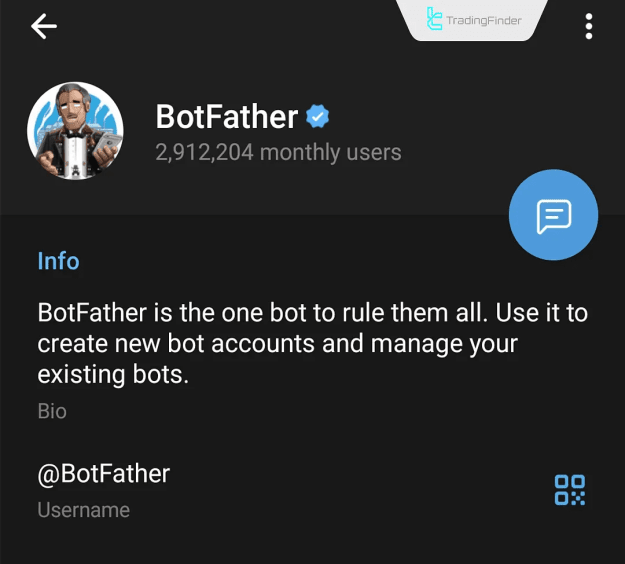
- Open @BotFather in Telegram.
- Send the command /newbot.
- Choose a name and assign a username (must end with Bot).
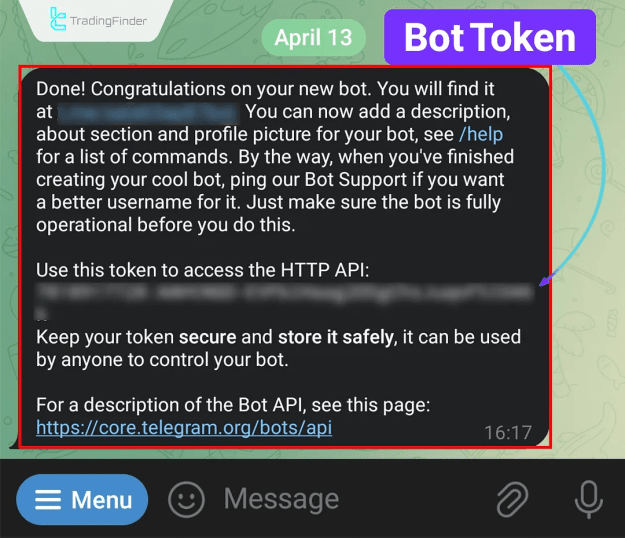
- Receive your Bot Token via message from BotFather.
This token is necessary for connecting your bot to the MT5 Expert.
Retrieving Telegram Chat ID
Your Telegram Chat ID determines the message destination (private chat, group, or channel).
For Personal Chat:
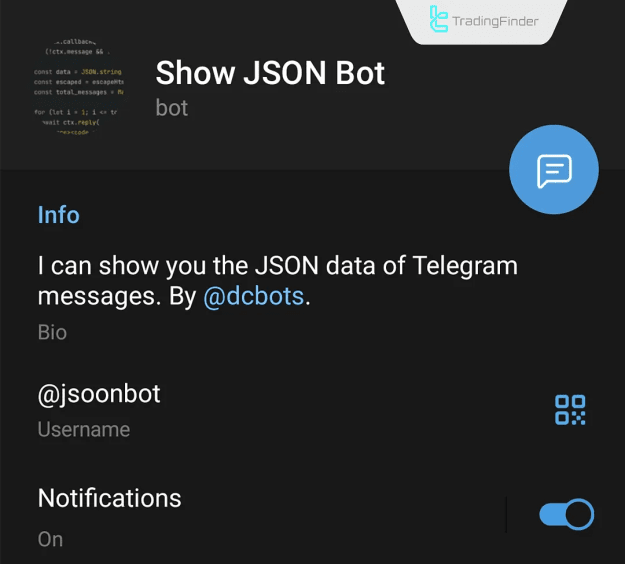
- Open @jsoonbot
- Click "Start" and send any message
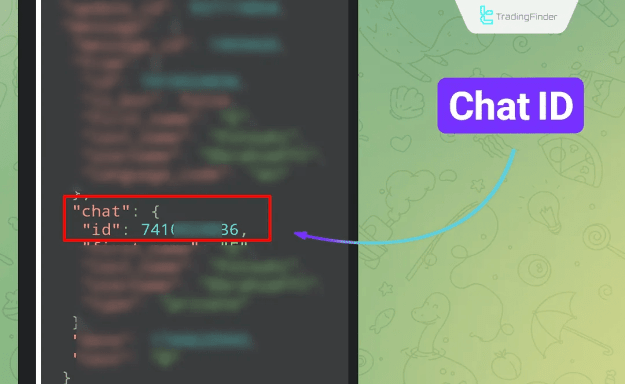
- The bot replies with your Chat ID
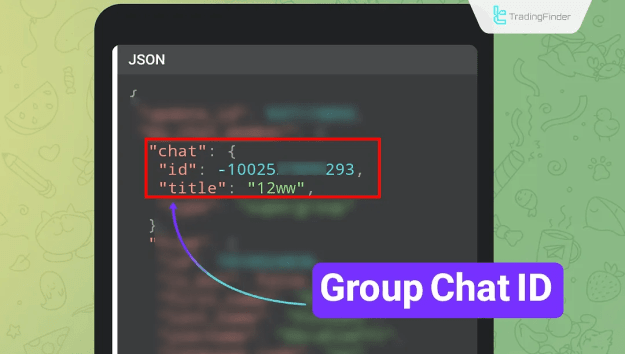
For Telegram Group:
- Add your bot to the group
- Grant it Admin privileges
- Add @jsoonbot to the group and send a message
- You will receive the group's numeric Chat ID
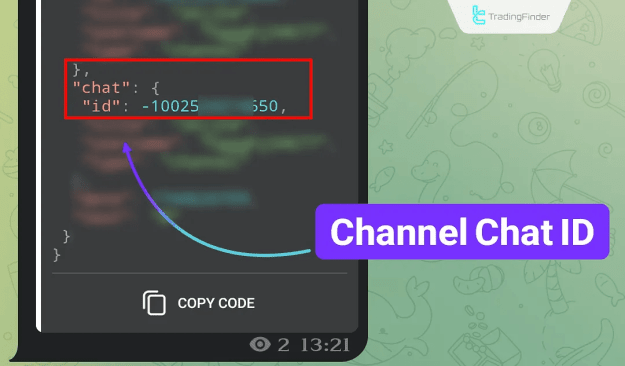
For Telegram Channel:
- Add your bot as an Admin to the channel (message permission must be enabled)
- Add @jsoonbot to the channel and send a message
- Retrieve the Channel ID from the bot's response
Once you have the Chat ID, you may remove @jsoonbot if preferred.
Configuring WebRequest Access in MT5
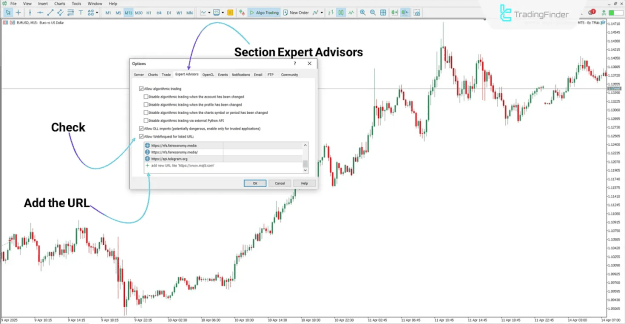
To allow MT5 to communicate with Telegram:
- Navigate to Tools → Options → Expert Advisors
- Enable the option: "Allow WebRequest for listed URL"
- Add this URL: https://api.telegram.org
This setting is mandatory for proper API communication.
Activating and Running the Expert
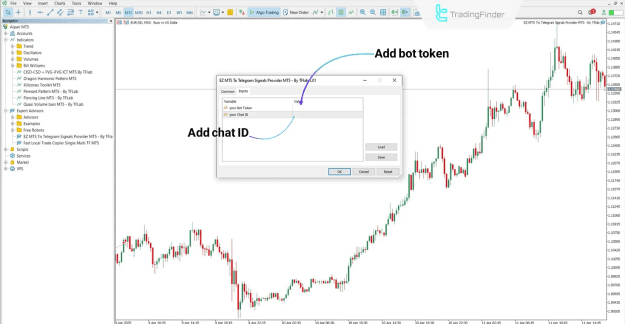
To run the EZ MT5 to Telegram Signal Provider:
- Attach the Expert to any chart.
- Enter the Bot Token and Chat ID in the input fields.
- Configure signal settings (select message types).
- Save or reset configurations as needed.
The Expert will now automatically send signals to your Telegram.
Expert Settings and Customization Panel
The Expert's configuration panel allows users to control:
- Enable/Disable message sending
- Save or Clear settings
- Customize the message template
- Select specific trade operations to notify
Message Types Include:
- Trade Open
- Trade Close
- Stop Loss Update
- Take Profit Update
- Partial Exit
- Pending Order Open
- Pending Order Delete
- Pending Order Update
Emoji Integration and Variable Placeholders
Users can personalize their messages using emoji placeholders and dynamic trade variables, enhancing the clarity and engagement of Telegram messages.
Sample Emoji Placeholders:
- Green Circle: {GreC}
- Red Circle: {RedC}
- Rocket: {rocket}
- Warning: {warn}
- Up Chart: {up}
- Down Chart: {down}
- Money Bag: {money}
- Check Mark: {Mark}
- Cross Mark: {Cross}
- Bell: {bell}
Common Trading Variables:
- Account Balance: {Balance}
- Equity: {Equity}
- Leverage: {Leverage}
- Currency: {Currency}
- Account Name: {AccountName}
- Broker Name: {CompanyName}
- GMT Time: {GMT}
- Server Time: {server}
- Entry Price: {entry}
- Close Price: {close}
- Stop Loss: {sl}
- Take Profit: {tp}
- Volume: {volume}
- Profit/Loss: {profit}
- Risk/Reward Ratio: {RR}
These codes are automatically replaced with real-time values when a trade message is generated.
Practical Usage Example
Within the Expert’s interface, simply insert the desired codes into the relevant fields. For example:
- Place {RedC} in the Symbol field
- Place {rocket} in the Entry field
When a trade is executed, the message will be delivered with the actual trade data and emojis properly rendered.
Conclusion
The EZ MT5 to Telegram Signal Provider Expert is a powerful automation tool designed for traders and signal broadcasters. By integrating Telegram with MetaTrader 5, it delivers a fast, reliable, and fully customizable solution for tracking trading activity.
With minimal setup—just a bot token, chat ID, and simple configuration—you can transform your Telegram into a live trading notification center. Custom placeholders and emojis also offer a dynamic way to communicate signals with clarity and style.