



MetaTrader 5 (MT5) Download and Installation Guide
MetaTrader 5 (MT5) is a powerful multi-asset trading platform that enables users to trade Forex, stocks, commodities, futures, and more. Featuring an intuitive interface and advanced technical analysis tools, MT5 is designed for both beginner and professional traders. Beyond its comprehensive trading capabilities, the platform enhances practical Forex education by allowing users to implement theoretical strategies in real-market conditions.
Key Features:
 Access to Forex, stocks, futures, and commodities markets
38 built-in indicators & 21 customizable timeframes
Integrated economic calendar & real-time financial news
Automated trading support via Expert Advisors (EAs)
Live market pricing & interactive charting tools
Cross-platform compatibility (Windows, macOS, Android, iOS)
MetaTrader 5 Download Links
MetaTrader 5 (MT5) is a powerful multi-asset trading platform that enables users to trade Forex, stocks, commodities, futures, and more. Featuring an intuitive interface and advanced technical analysis tools, MT5 is designed for both beginner and professional traders. Beyond its comprehensive trading capabilities, the platform enhances practical Forex education by allowing users to implement theoretical strategies in real-market conditions.
Key Features:
Access to Forex, stocks, futures, and commodities markets 38 built-in indicators & 21 customizable timeframes Integrated economic calendar & real-time financial news Automated trading support via Expert Advisors (EAs) Live market pricing & interactive charting tools Cross-platform compatibility (Windows, macOS, Android, iOS)MetaTrader 5 Download Links
- Download MetaTrader 5 for Android
- Download MetaTrader 5 for iOS
- Download MetaTrader 5 for Windows
- Download MetaTrader 5 for macOS
How to Install MetaTrader 5 on Android
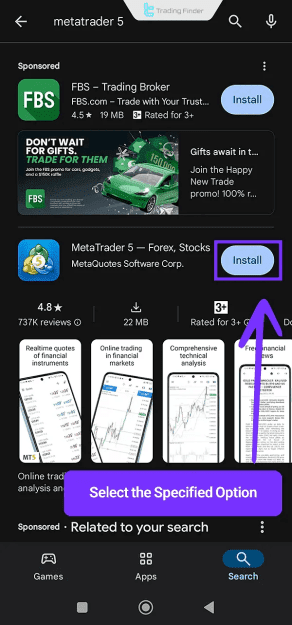
- Open the Google Play Store and search for "MetaTrader 5".
- Tap Install and wait for the download to complete.
- If the status shows "Pending," wait until installation starts.
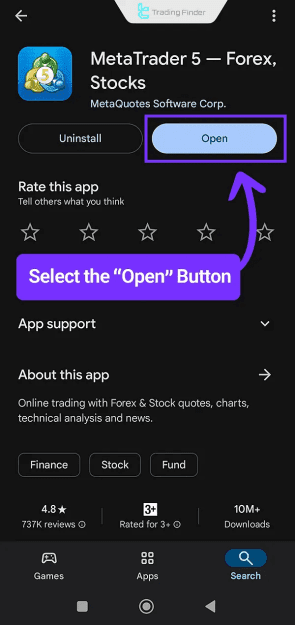
- Tap Open to launch MT5.
How to Install MetaTrader 5 on iOS (iPhone/iPad)
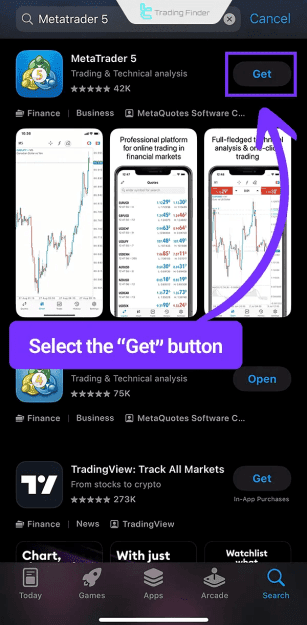
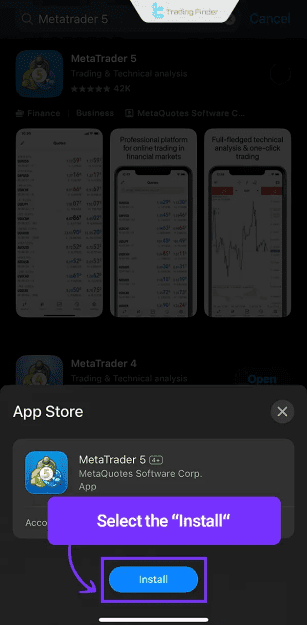
- Open the App Store and search for "MetaTrader 5" or "MT5".
- Tap Get to download the app.
- Tap Install when prompted.
- Once installed, tap Open to access the platform.
How to Install MetaTrader 5 on Windows
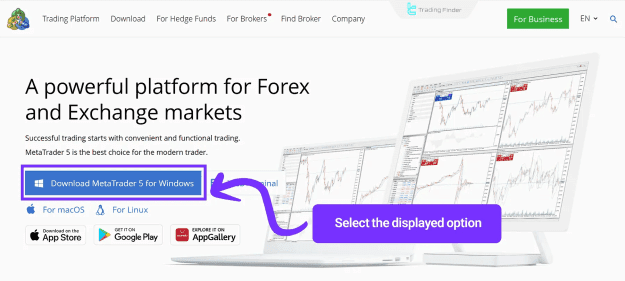
- Visit the official MetaTrader 5 website.
- Click "Download MetaTrader 5 for Windows".
- Run the downloaded .exe file.
- Click Next to begin installation.
- After completion, click Finish to launch MT5.
How to Install MetaTrader 5 on macOS
- Go to the official MetaTrader 5 website.
- Select the "For macOS" download option.
- Extract the downloaded archive using WinRAR or similar tools.
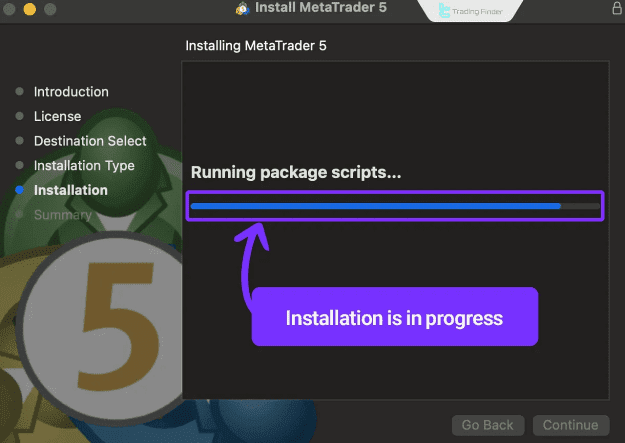
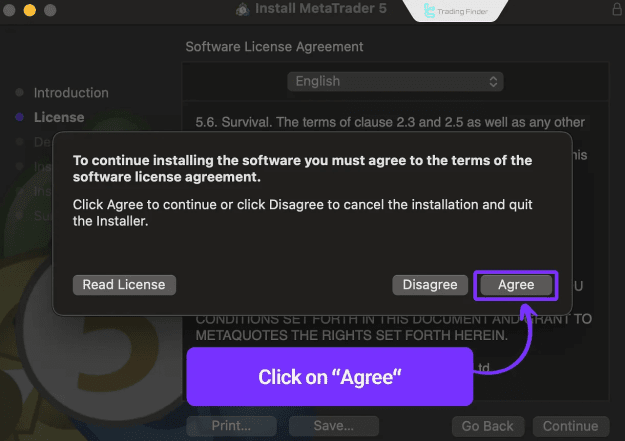
- Open the .pkg file to start installation.
- Click Continue and agree to the terms.
- Complete the setup by clicking Finish.
Conclusion
MetaTrader 5 is a free, feature-packed trading platform suitable for traders seeking advanced tools and multi-device flexibility. Whether on desktop or mobile, MT5 provides:
 Professional charting & analytical tools
Automated trading with Expert Advisors (EAs)
Built-in economic calendar & financial news
Download MetaTrader 5 from the official website or trusted app stores like Google Play and the App Store. Start trading smarter today! 
Attached Image(s) (click to enlarge)
Attached Images

Attached File(s)
