

 Key Features for Gold Traders
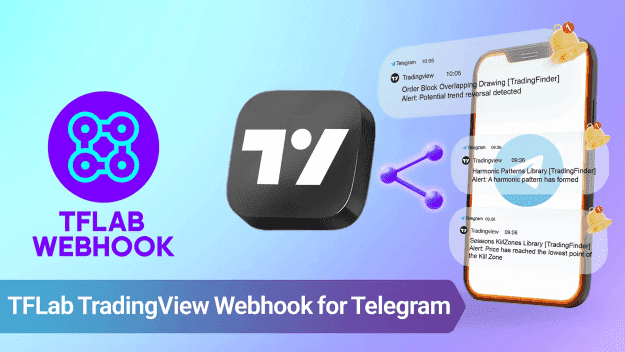
 Instant XAU/USD Notifications – Get alerts as soon as price levels or technical conditions are met. Multiple Destinations – Send alerts to private chats, trading groups, or market analysis channels. Customizable Messages – Use dynamic placeholders like {{ticker}}, {{close}}, and {{time}} for precise alerts. Easy Webhook Management – Create, modify, pause, or delete alerts via a Telegram mini app.
You can start using the Telegram mini-app tool from this link:
https://t.me/tfwebhook_bot
 Step-by-Step Guide: Setting Up TradingView Alerts for XAU/USD
#1 Add the Webhook Bot to a Telegram Destination
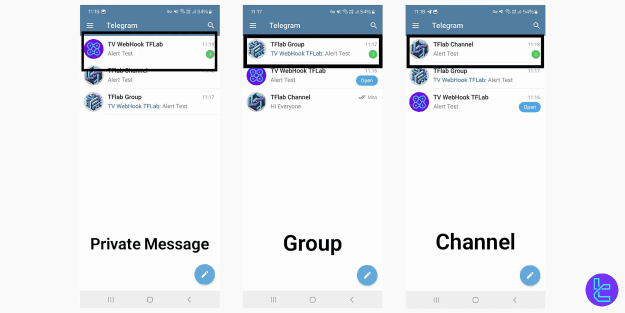
You can send XAU/USD alerts to:
 Private Chat – Receive personal notifications for gold price movements. Telegram Group – Share signals with your trading team. Telegram Channel – Broadcast analysis to your trading community.
 Tip: Ensure the bot has admin permissions in groups or channels before setting up alerts.
#2 Open the TradingView Webhook Mini App
 Search for @tfwebhook_bot in Telegram.
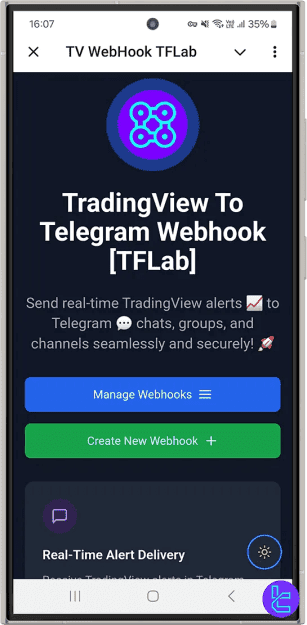
 Tap on the bot to open the "TV WebHook TFLab" mini app.
#3 Create a New Webhook
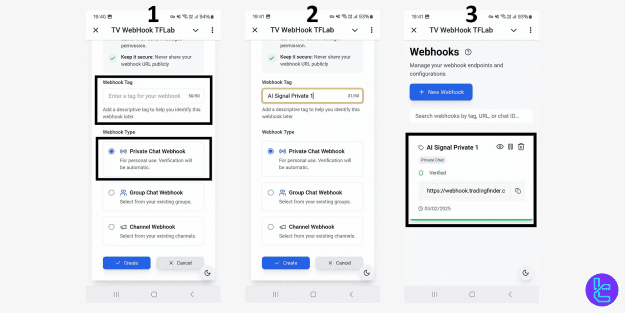
In the mini app, select "Create New Webhook." Name the webhook (e.g., "Gold Price Alerts"). Choose the destination (Private Chat, Group, or Channel).
 Copy the Webhook URL generated by the bot.
#4 Configure TradingView for XAU/USD Alerts
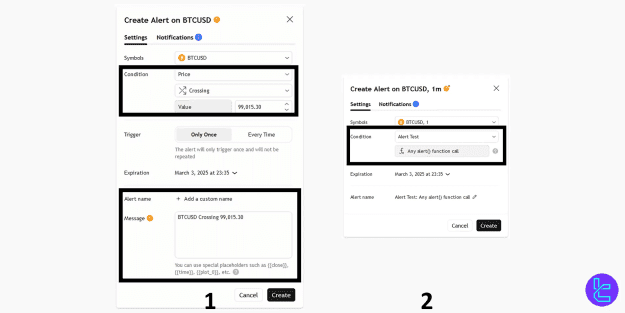
Log in to TradingView and open a gold (XAU/USD) chart. Click on the "Alert" button. Select a condition:- Technical Indicator (e.g., RSI, MACD, Bollinger Bands)
- Price Level (e.g., XAU/USD crosses $2,000)
- Custom Pine Script Strategy In the alert settings window: Enable "Webhook URL" and paste the copied URL.
Customize the alert message with placeholders: - {{ticker}} – Displays the asset (XAU/USD).
- {{close}} – Shows the latest price of gold.
- {{time}} – Marks the alert activation time.
 Click "Create" to activate your XAU/USD alert.
 Now, TradingView will automatically send XAU/USD alerts to Telegram whenever the conditions are met!
#5 Managing & Editing Webhooks
View Active Webhooks – Check existing XAU/USD alerts in the mini app.
Modify Webhooks – Edit alert names, destinations, or URLs.
Pause/Resume Alerts – Temporarily disable trading signals.
Delete Webhooks – Stop receiving alerts by removing the webhook.
Why Gold Traders Need TradingView Alerts on Telegram
Gold prices move rapidly due to economic events, interest rate decisions, and market sentiment. The TradingView Alert Webhook for Telegram ensures that you receive instant updates on key XAU/USD levels, helping you make faster and more informed trading decisions.
Start automating your gold trading alerts today and never miss a critical market move!